

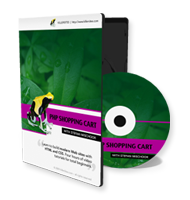

Lifetime Access to Videos Check out my NEW 2016 Interactive Web Developer course package - it contains the PHP Shopping Cart course and so much more!
I have been creating web design and developer courses since 2003, my new Interactive Web Developer course has the best videos I have ever created.
It covers the latest versions of HTML5, CSS3, JavaScript, PHP7 and so much more. A special feature of this course package is that it is interative, which makes learning coding easy as eating apple pie - and you don't put on any weight!
NOTE: I am only leaving the classic PHP Shopping Cart course up for people who enjoy typewriters, and 4 day old bagels. If you prefer fresh bagels and SSD laptops, please check out my new Interactive Web Developer package. Yes, it's very affordable!
Stefan Mischook - July 2016
Table of Contents of the classic course:
Total Running Time: 6 hours 06 minutes
Total File Size: 1.2 GB

Project Files
140 KB

PHP Shopping Cart with PayPal, OOP & MVC Videos
44 videos
- Introduction (3:50)
- File Structure (5:06)
- Database & Database Connection (7:00)
- Init.php Additions (3:54)
- Basic HTML (13:20)
- Basic CSS (16:39)
- OOP & MVC Basics (6:34)
- Using a Coding Style Guide (3:40)
- Template Object: Part 1 (8:20)
- Template Object: Part 2 (10:25)
- Template Object: Part 3 (12:28)
- Categories Object: Part 1 (13:14)
- Categories Object: Part 2 (11:17)
- Projects Object 1: Get Single Product Query (12:22)
- Projects Object 2: Get All Product Query (3:00)
- Displaying All Products (11:11)
- Displaying All Products in Categories (12:38)
- Product Details Page: Part 1 (10:26)
- Product Details Page: Part 2 (5:56)
- Shopping Cart HTML (11:05)
- Shopping Cart CSS: Part 1 (11:40)
- Shopping Cart CSS: Part 2 (5:28)
- Cart Object: Adding Items to the Cart (14:09)
- Cart Object: Clear Items from the Cart (4:11)
- Ensure Product Exists & Bugfixes (6:59)
- Displaying Products In Shopping Cart: Part 1 (8:58)
- Displaying Products In Shopping Cart: Part 2 (8:16)
- Displaying Products In Shopping Cart: Part 3 (12:20)
- Modify Quantity of Items in Cart (6:41)
- Display Total Number of Items in Cart in Page Header (7:44)
- Display Total Cost of Items in Cart in Page Header (12:21)
- Tax Functionality (4:58)
- Shipping Functionality (8:55)
- PayPal Introduction & Bug Fixes (4:06)
- Creating a PayPal Developer account (4:45)
- PayPal API, SDK & Additional Resources (6:32)
- Composer Introduction & SDK Setup (7:00)
- PayPal Settings & Minor Changes (10:42)
- Steps to Submitting a Payment (6:37)
- Integrating PayPal Part 1 (11:28)
- Integrating PayPal Part 2 (13:46)
- Integrating PayPal Part 3 (7:59)
- Integrating PayPal Part 4 (14:41)
- Conclusion (1:33)


 Secure Shopping | Top of Page